
Digital Denture Masterclass: Perfect Dentures In 3 Steps. In Collaboration With Jimmy Stegall

Published on
January 23, 2025

Who Is Jimmy Stegall?

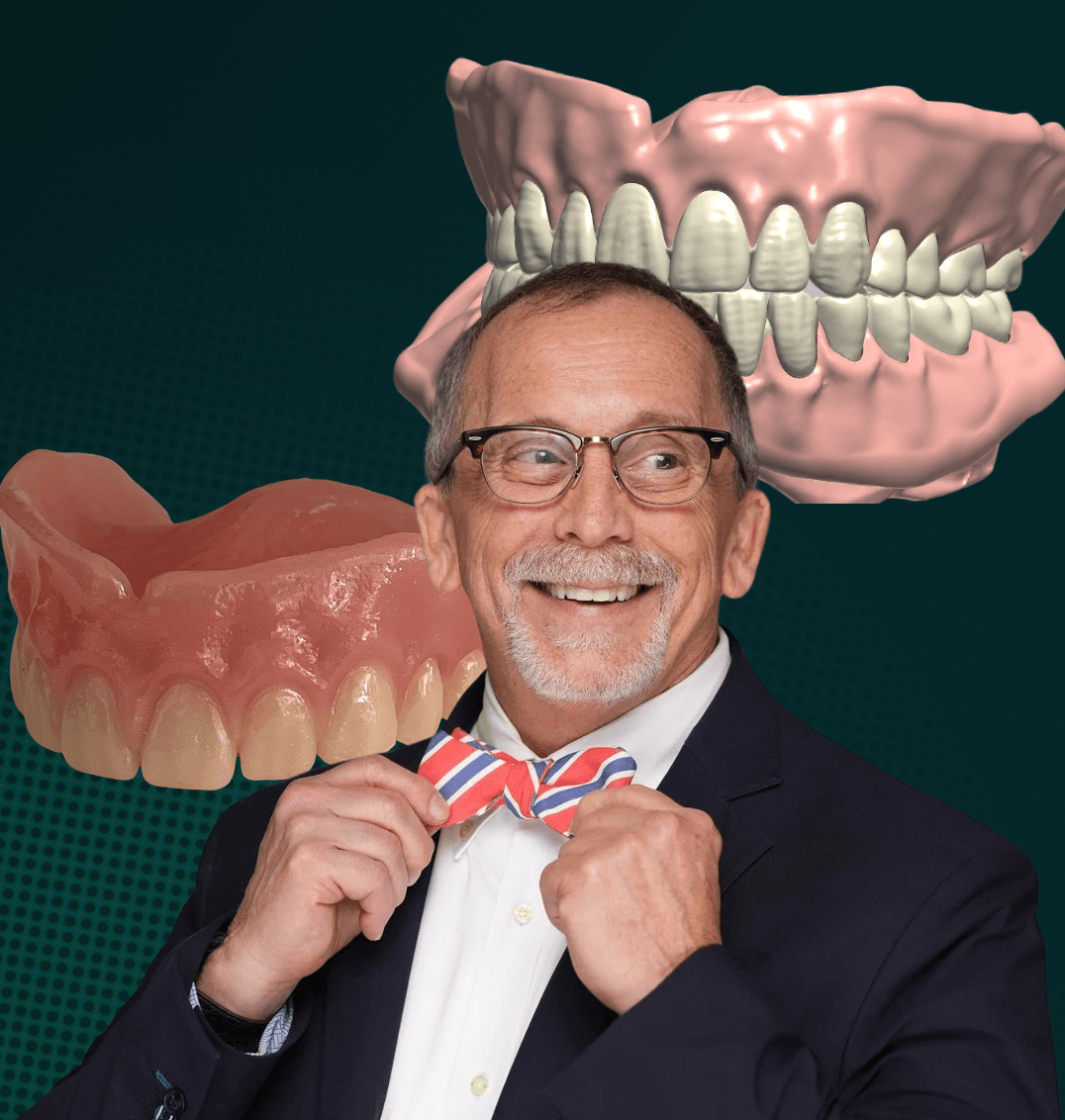
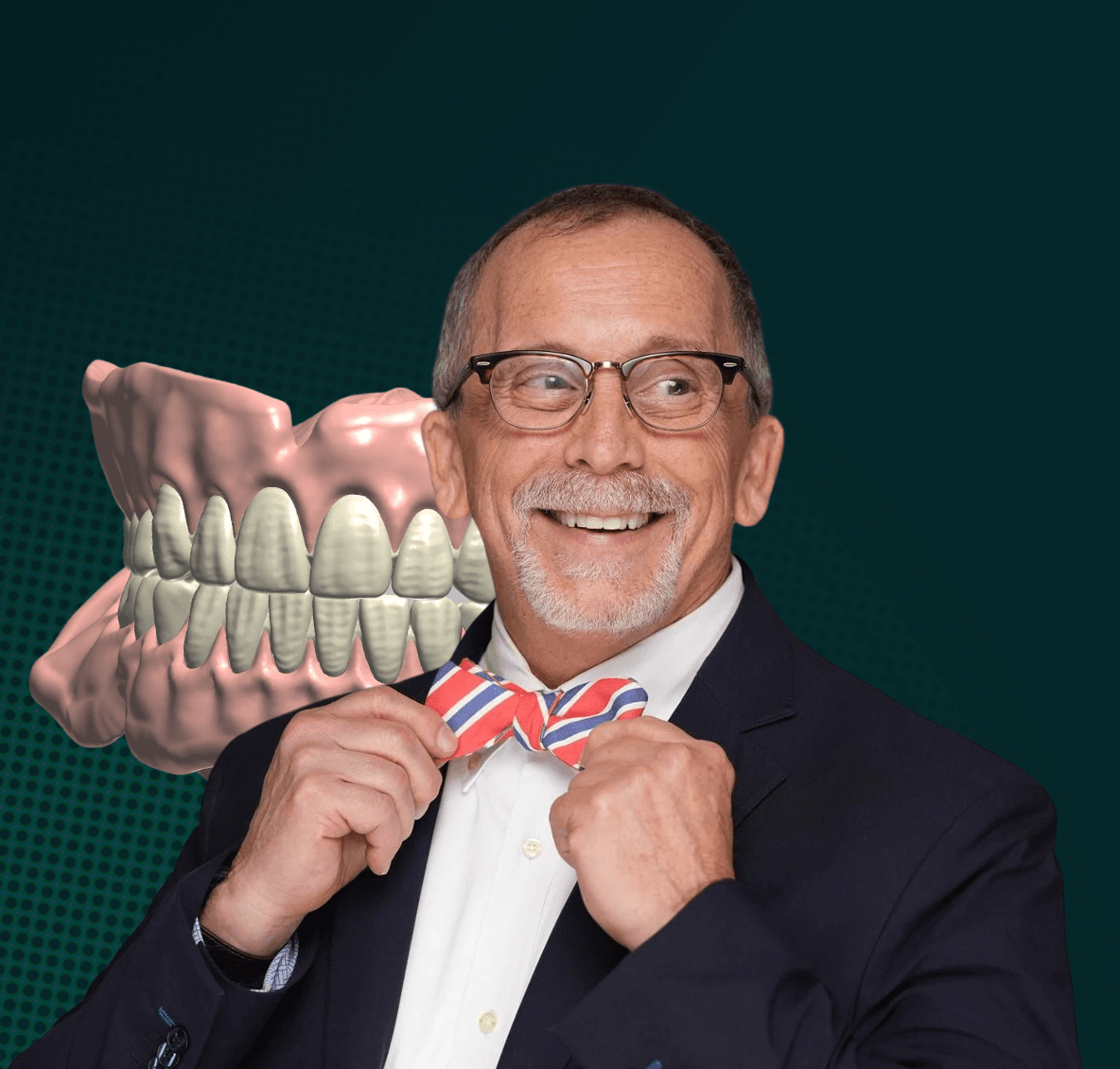
Jimmy Stegall In front of a denture design

Recently named the 2024 NADL Educator of the Year, Jimmy Stegall is an industry titan with over 40 years of expertise. He has led a premier dental lab, educated thousands, and pioneered innovations in implant and prosthetic restoration.

Why Choose This Workflow?

His unique workflow ensures a superior fit and enables dentists to deliver dentures in just two appointments, reducing patient discomfort and rework.

Elevate your practice with predictable, time-saving results crafted by an authority who understands the clinical and operational demands of dentistry.

Step One: Gather Patient Information

1.1 Capture Digital Impressions:

Use your intraoral scanner to capture a digital impression and create a 3D digital model of your patient’s oral anatomy.

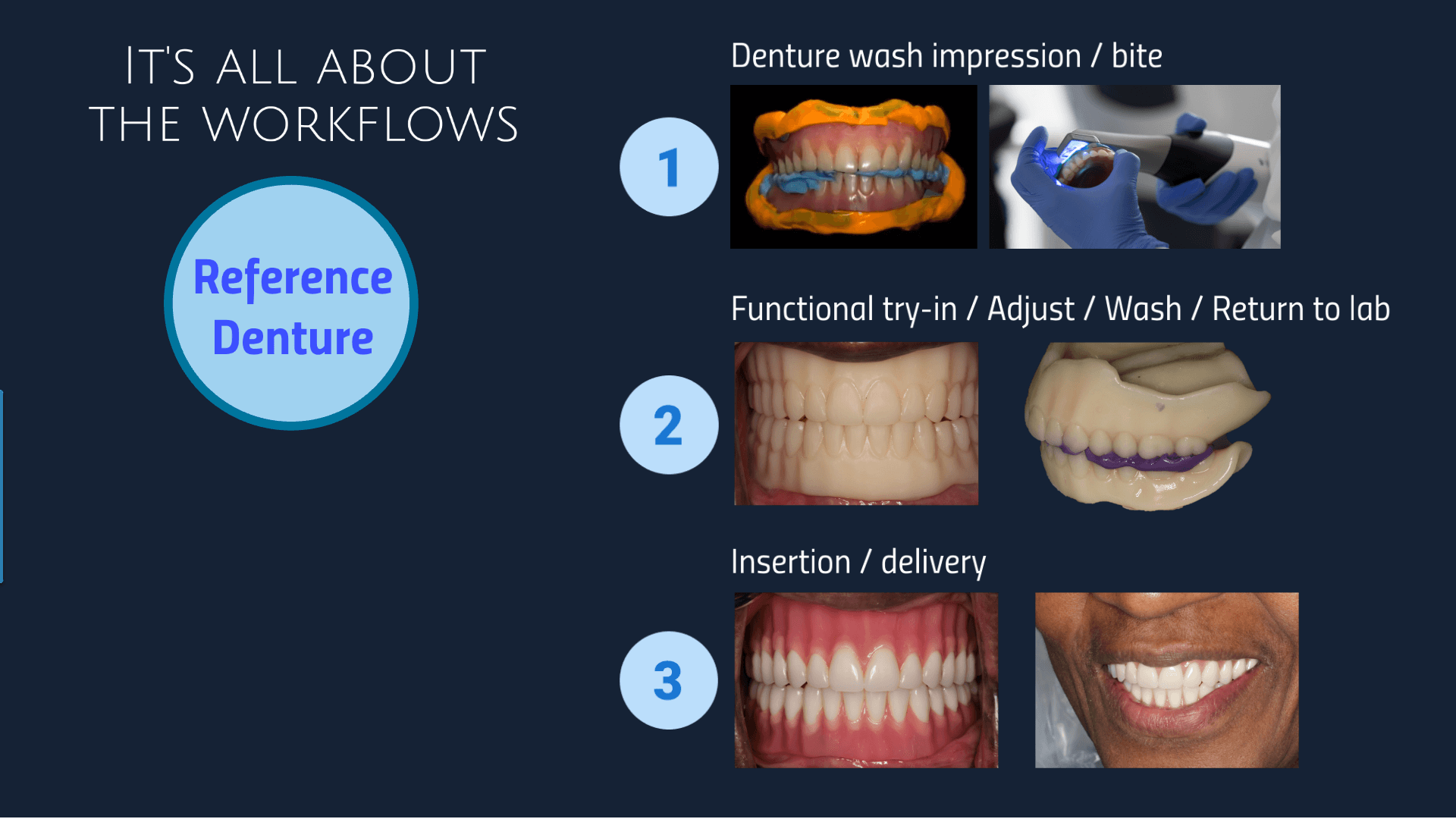
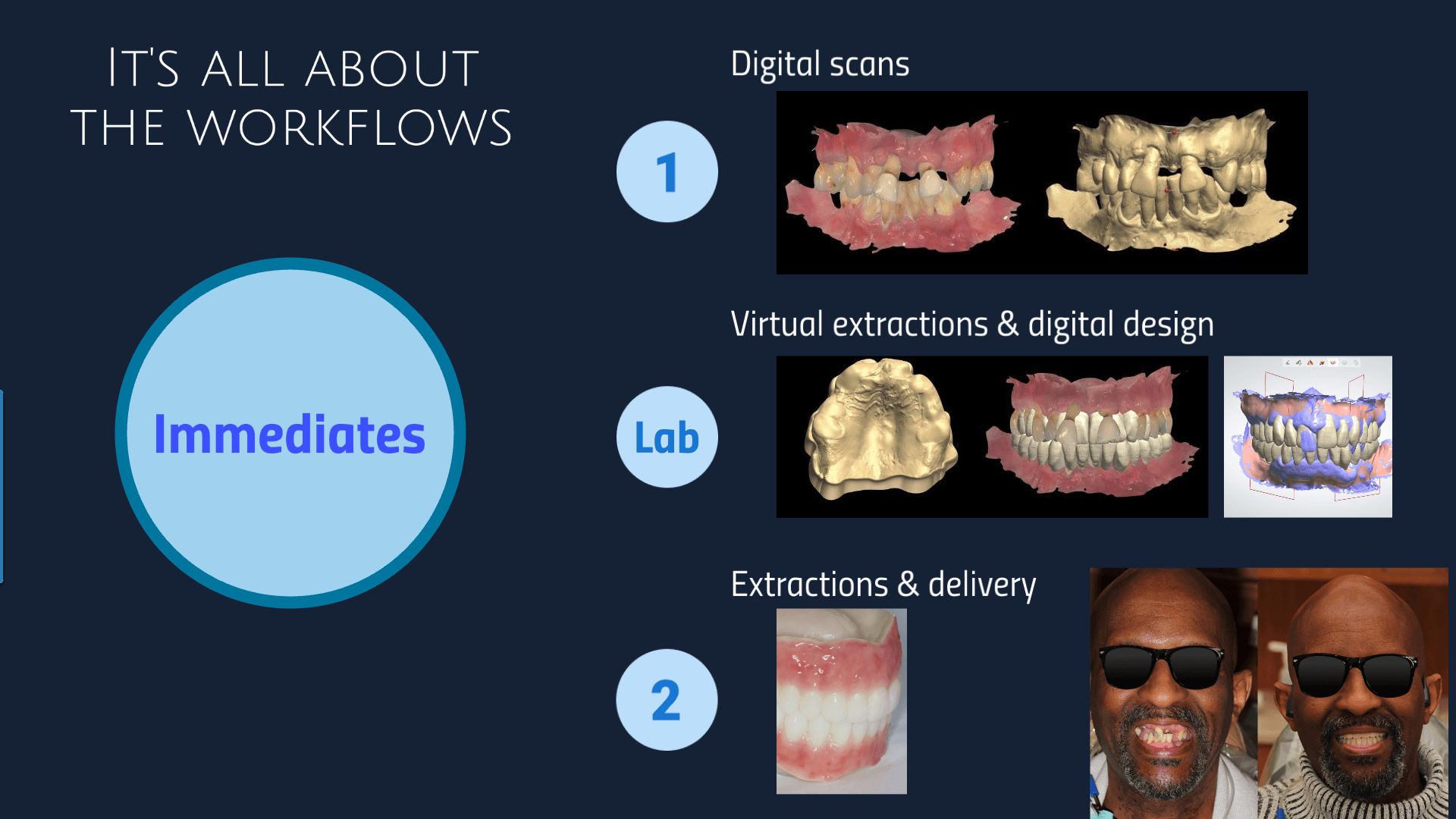
Jimmy Instructs dentists to use one of three workflows, depending on the case:
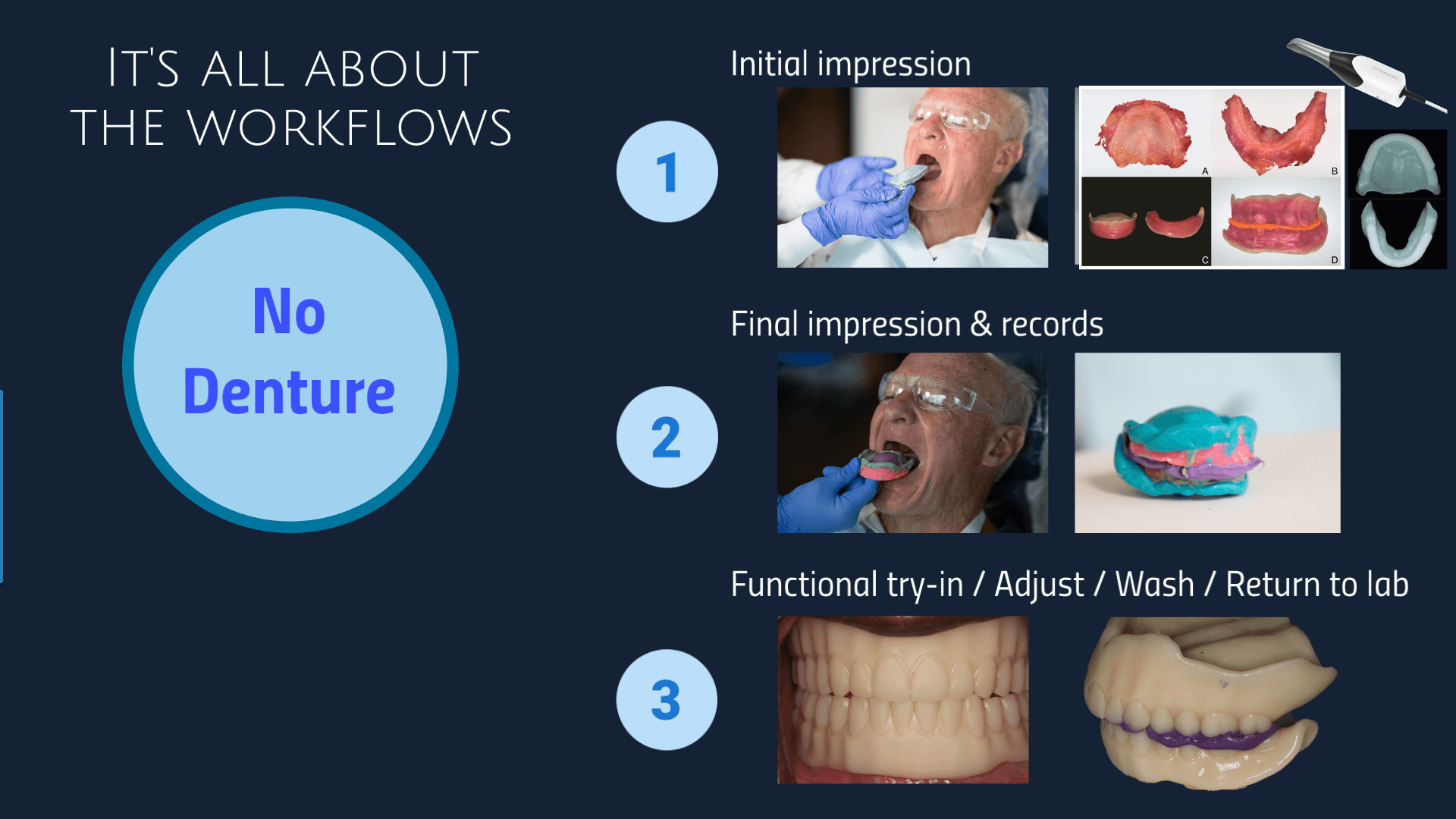
‍

Screenshot 2025-01-22 14.56.49.png
Screenshot 2025-01-22 14.56.41.png
Screenshot 2025-01-22 14.57.08.png
Three Scans Are Typically Required:
  1. Upper: A complete scan of the upper jaw where the denture will rest.
  2. Lower: A complete Scan of the lower jaw where the denture will rest.
  3. Bite Registration: Capture the patient’s bite relationship to ensure occlusion as per Jimmy’s preferences.
    • Ensure all the relevant anatomy is captured in the scans (undercuts, bony prominences…)
1.2: Compile Your Patient's Treatment Plan Information

After completing the intraoral scan, you will need to gather and organize the following essential details for the treatment plan:

  1. Collect Patient Demographic
    • Patient Name
    • Contact Information
    • Date of Birth
  2. Document Chief Complaint
    • Understand the patient's primary reason for seeking dentures
      • (e.g., difficulty chewing, ill-fitting the existing dentures dissatisfaction with appearance).
  3. Summarize Diagnostic Findings
    • Document any relevant findings from the intraoral scan
      • (e.g., ridge resorption, bony undercuts).
  4. Record Treatment Goals
    • Document the patient's expectations for treatment:
      • Aesthetics (e.g., tooth shape, size, color)
      • Restored function (e.g., chewing ability, speech)
      • Increased confidence
  5. Discuss Long-Term Goals
    • Ensure the denture treatment aligns with the patient's overall oral health goals.

Step Two: Case Submission

2.1: Sign in to EviSmart

Visit evidentdigital.com to sign in or create your account.
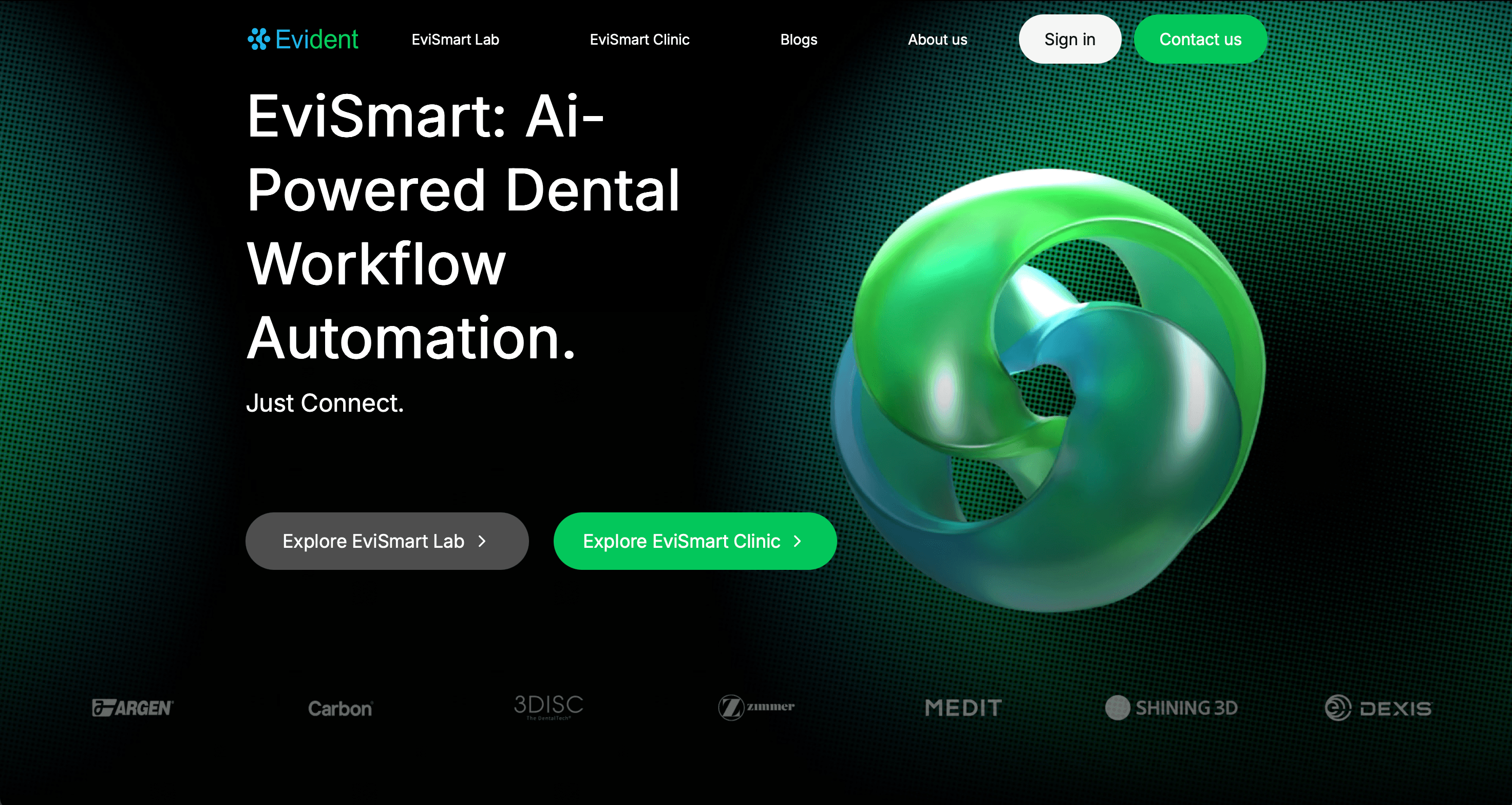
EviSmart Homepage
2.2: Select "Digital Complete Dentures"

Scroll to the Removables section, click the "Order Now" button under "Digital Complete Dentures".
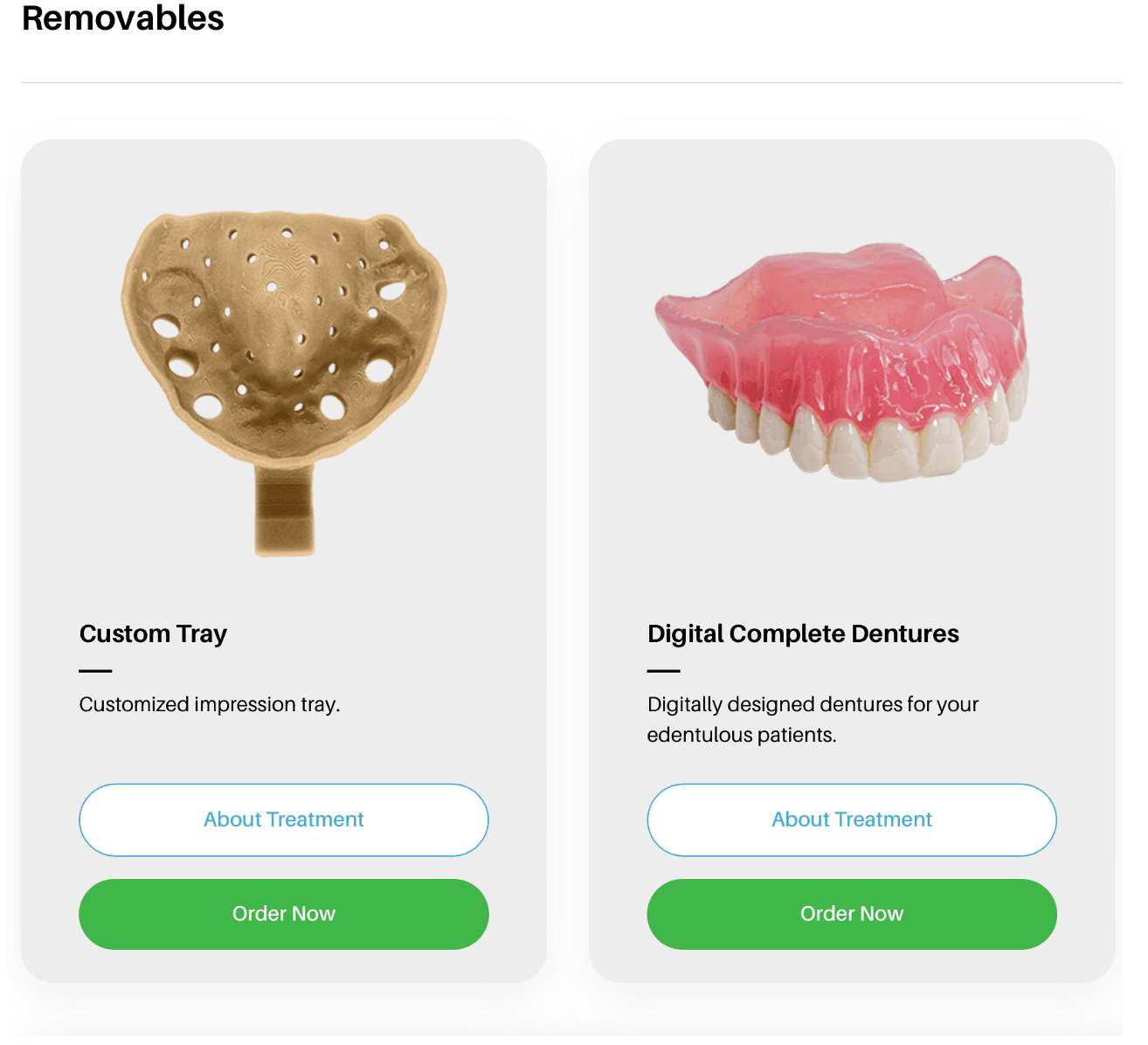
Screenshot of EviSmart order
2.3: Upload Case Information

Select Jimmy Stegall Dentures and fill the complete Rx form.
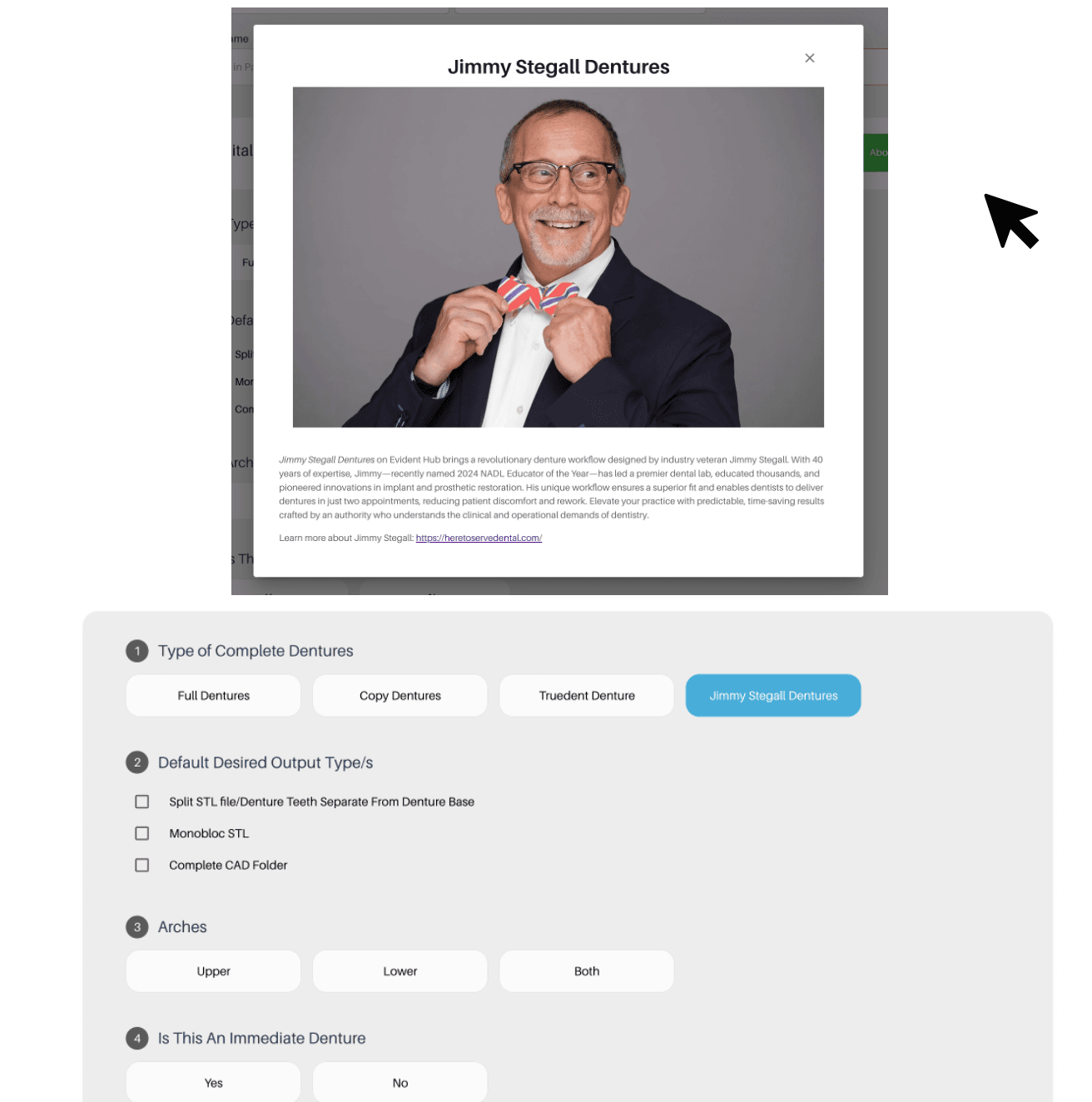
Screenshot 2025-01-23 at 11.34.20 AM.png

This guided ordering form ensures that the vision of both the patient and the doctor is precisely communicated to our design team. You can choose to rush this case to get your designs back as soon as possible (2 - 5 hours).

Once you've filled in your patient and practice information, follow these steps to complete the form:
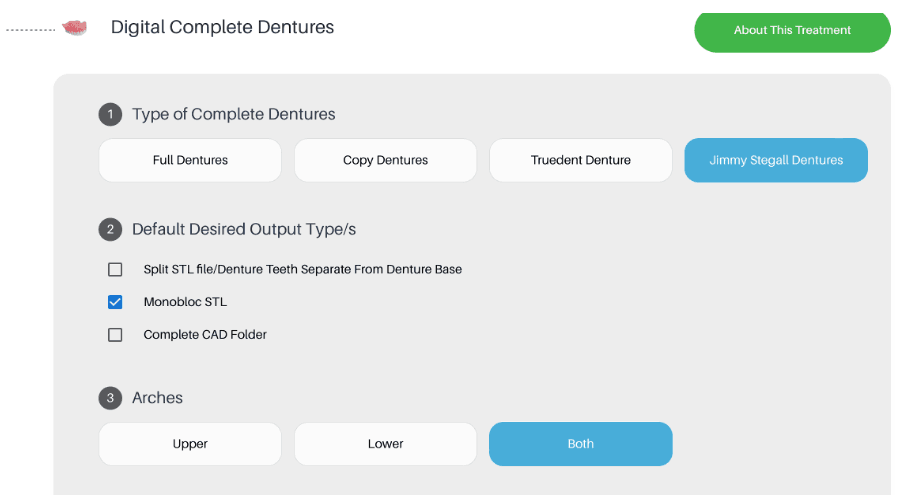
  1. Type of Complete Dentures
    • Select Jimmy Stegall Dentures
  2. Select Desired Output
    • Choose your preferred file format(s)
      • Split STL file – Provides separate files for the denture base and teeth
      • Monobloc STL - Provides a single file for the entire denture
      • Complete CAD Folder - Includes all the design files related to the denture
  3. Indicate The Required Denture Arches
    • Select “Upper”, “Lower", or “Both”
screenshot of RX form steps 1 - 3

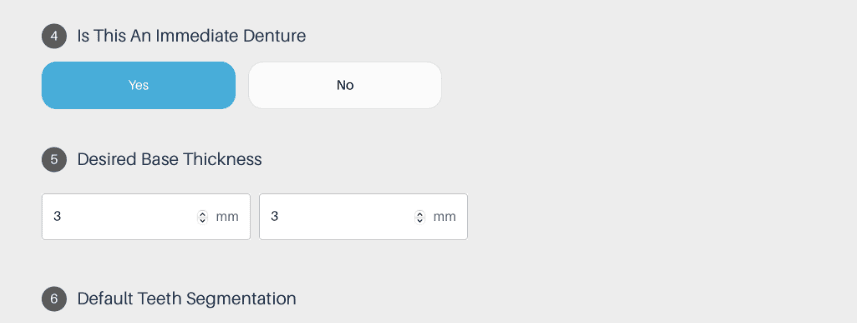
4. Is This An Immediate Denture?

  • Yes (Denture will be placed immediately after tooth extraction)
  • No (Denture will be placed after the extraction sites have healed)

5. Select Desired Base Thickness

  • The Default base thickness for Jimmy's designs are:
    • Upper: 2.5mm
    • Lower: 3mm
      • If you prefer a different thickness, please specify here in millimeters (mm)

6. *Default Teeth Segmentation

  • By default, the tooth segmentation of Jimmy's denture design is:
    • 2 posterior blocks and 1 anterior block
RX 3.png

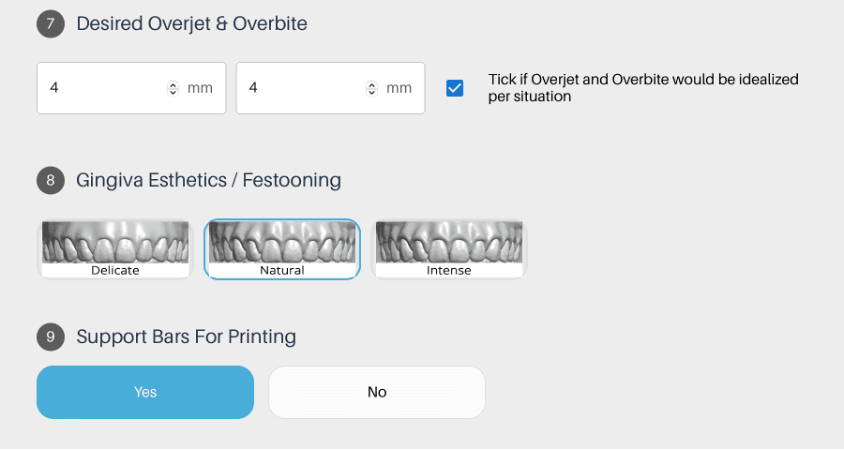
7. Desired Overjet & Overbite

  • Upper Denture: Specify the desired overjet in millimeters (mm)
  • Lower Denture: Specify the desired overbite in millimeters(mm)
  • Idealized Overjet and Overbite: Check this box if you want the overjet and overbite to be adjusted to ideal values based on the patient's anatomy and occlusion

8. Gingiva Esthetics/ Festooning

  • By default, the design will follow Jimmy's preferred gingival anatomy.
    • If you prefer a different aesthetic please select from one of these 3 options:
      • Delicate: For a subtle, less pronounced gum line.
      • Natural: For a realistic gum line that mimics natural gums.
      • Intense: For a more prominent, defined gum line.

9. Support Bars for Printing

  • Indicate whether support bars are needed for 3D printing:
    • Yes: If you require support structures for overhangs during printing.
    • No: If no support structures are necessary.
screenshot of RX form steps 7 - 9

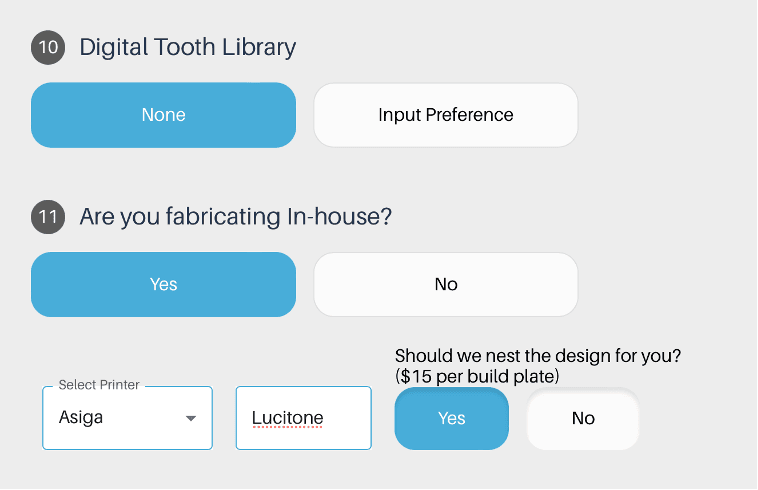
10. Digital Tooth Library

  • Specify your preference for the artificial teeth:
    • None: Your designers will follow Jimmy Stegall's default preferences Digital HC Genios or Digital HC Portrait.
    • Input Preferences: : If you have a specific brand, type, or characteristic preference for the teeth, please specify here

11. Are You Fabricating In-House?

  • If you are printing your design in-house, you can customize your fabrication preferences to streamline the process.  
    • Follow these steps to ensure your design is ready for printing:
      • Indicate In-House Fabrication: Select 'Yes' or 'No' to indicate if you are fabricating the design in-house.
      • Choose Your Printer: If you selected 'Yes' for in-house fabrication, choose your printer from the dropdown menu.
      • Specify Resin Type: Enter the type of resin you will 3D print with.
      • Select Pre-Nested Files: To make the fabrication process even easier.
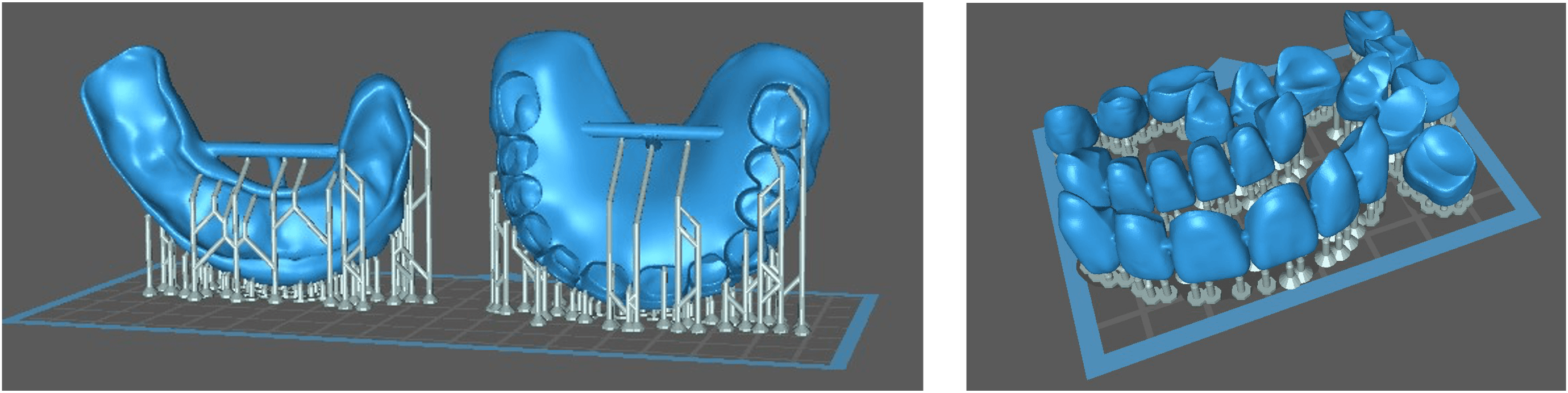
        • These steps ensure that your design is ready to print with proper supports, so all you need to do is drag, drop, and print
        • There is an additional fee per build plate for pre-nested files.
RX 6.png

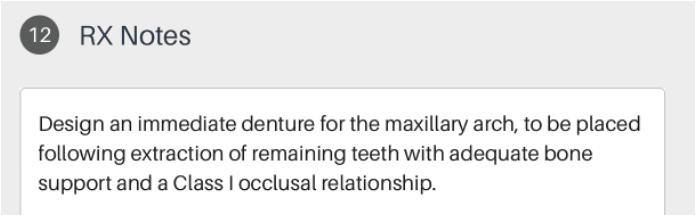
12. RX Notes

  • To ensure the desired outcome for your patient's digital dentures, please provide clear and concise instructions for your design team.

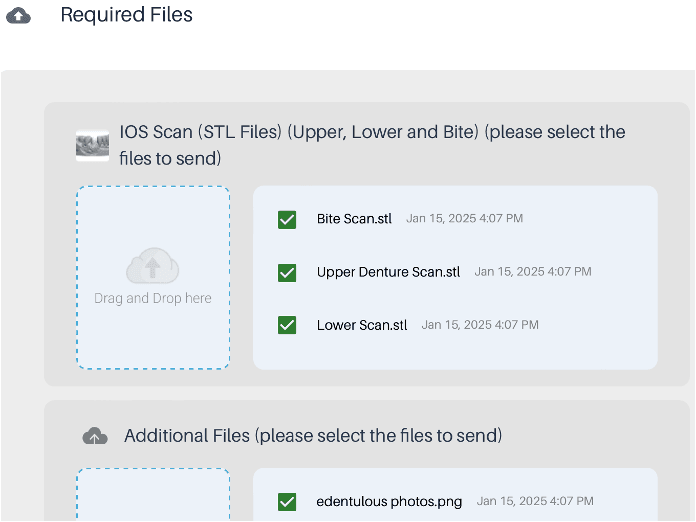
13. Upload Required Files

  • Intraoral Scans (STL or PLY files):
    • Upper Arch Scan
    • Lower Arch Scan
    • Bite Rim/Registration Scan
  • Additional Files (Optional, but highly recommended):
    • High-resolution intraoral photographs of:
      • The patient's edentulous ridges
      • Surrounding tissues
      • Any remaining teeth to optimize the denture fit.

14. Review and Submit

  • Ensure all information is accurately filled out and all required files are uploaded. Click 'Proceed' to submit the form.
RXnotes.png
RXfiles.png
2.4: Download Your Scan Files

Once complete, you will receive the following files:
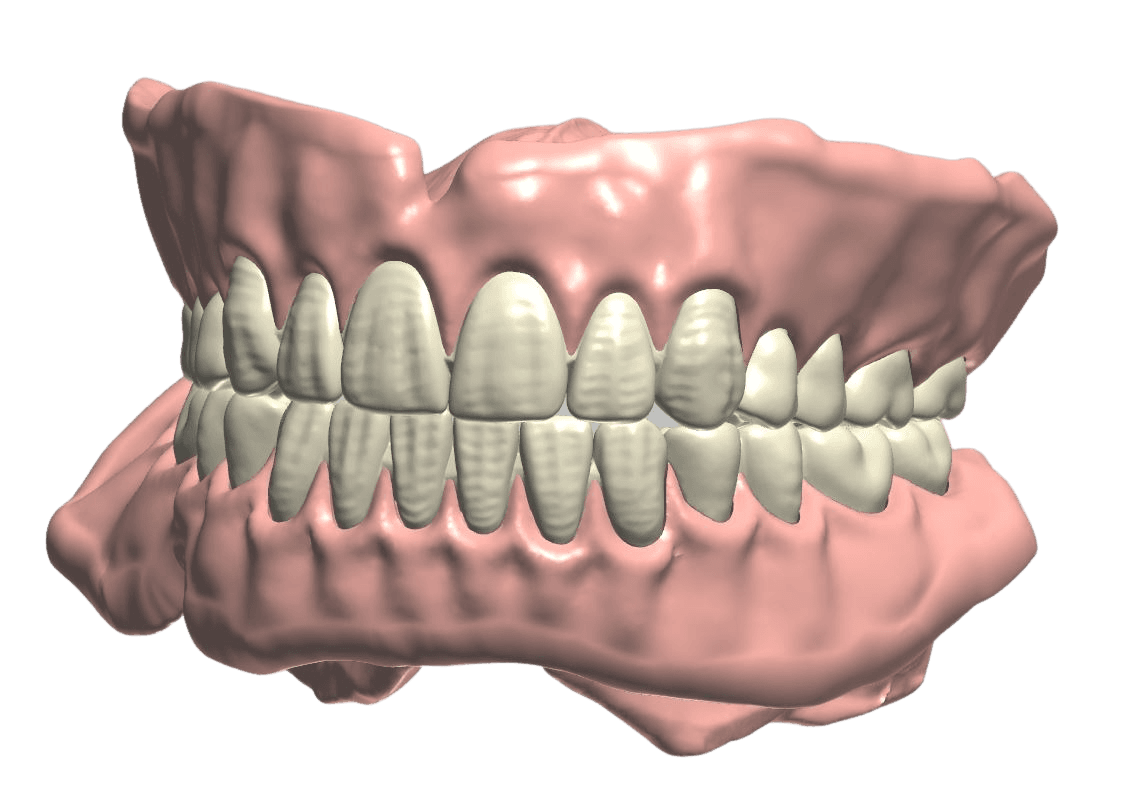
  • HTML preview viewer for STL design files, including appended scan data
Jimmy Denture Clear .png
  • 3D printable file (nested)
3dprintedfilenested.png

Step Three: Fabricate Your Jimmy Stegall Design

For detailed process and workflow instructions specific to your 3D printer model and resin,  

please contact your 3D printer manufacturer’s support team.
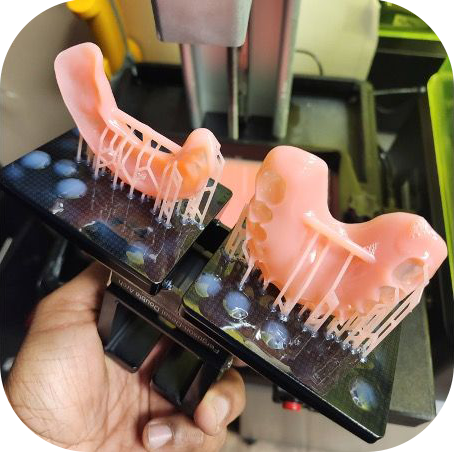
  1. Print
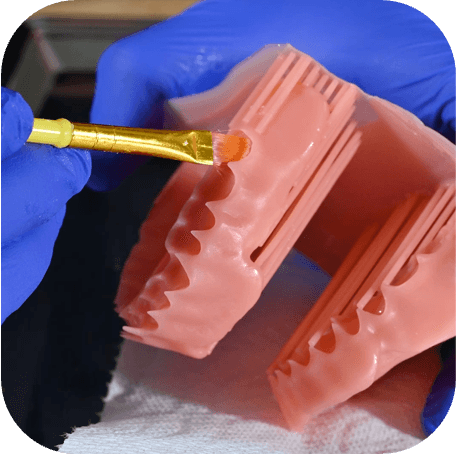
    • 3D-Print your design

2. Wash

  • Use 99% IPA to remove any excess resin
wash.png

3. Cure

  • Cure the case to finalize its durability.
cure.png

Congratulations!

Your Jimmy Stegall Denture Is Now Ready!

If you have any questions about the process, feel free to visit www.evidentdigital.com to connect with our support team.
To further streamline your workflow, we can help by coordinating fabrication. Here’s how we can assist:
  • Invite your existing lab:
    • You can invite your preferred lab by choosing the option in the top right corner of the EviSmart dashboard. We will help coordinate the fabrication process with them.
  • Ask Evident for a preferred lab partner:
    • Alternatively, your account manager can suggest one of our preferred lab partner for a seamless experience.

‍

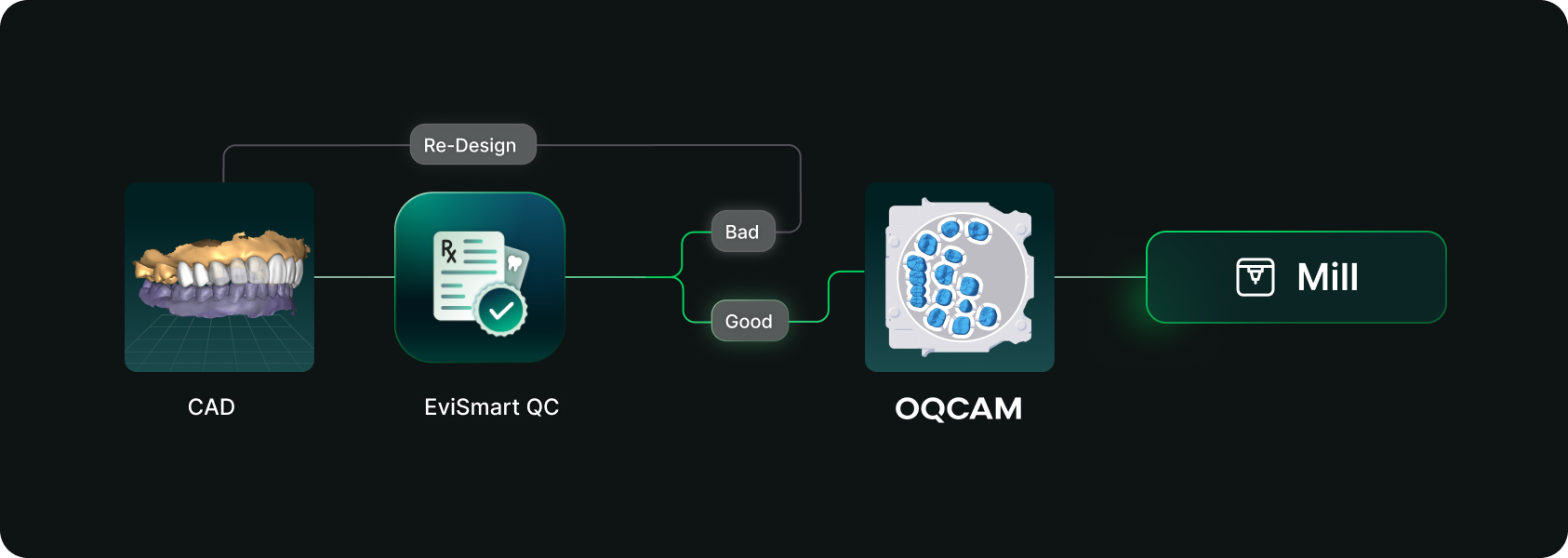
Designs you order from EviSmart arrive in your Oqcam already formatted. Named the way your nesting rules expect, with shade and material attached, and pointed at the machine that case belongs on.

‍

The routing is decided per case. An implant case sends the crown to the mill and puck you cut implant crowns on, and the model to the printer you print models on. Different case types, different machines, chosen automatically rather than by a tech working through a dropdown for every file.

‍

The trigger is QC approval. EviSmart designs your cases your way. The same team works on all your cases and learns what a good case looks like to you. Once your case passes our QC, it triggers a greenlight to send the design directly into your Oqcam account in under a minute.

‍

Once the file arrives in your Oqcam, all your CAD/CAM technicians can review the nested design before starting the mill. That final QC step does not change and is not meant to.

‍

Setup is one session. We connect your Oqcam account and agree where each of your products should go, using the routes and materials you have already built there. Nothing new to create, and you only revisit it if something changes.

What you still control

Automatic sending only works if you trust what is being sent. Once a case is nested it gets cut, and a design that was not right is wasted material.

‍

You choose what flows. During setup we map only the case types you want moving on their own. Anything unmapped never sends. It waits for you exactly as it does today.

‍

Most labs start narrow. Bread and butter work first, night guards and posterior single units, then widen once they have watched it run for a few weeks. The lab that has been live longest started exactly there and has added case types since.

‍

Your approval stays. This removes the file shuffling between design and CAM. It does not remove your eyes from the build.

Who this actually suits

For labs outsourcing design work the math gets compelling somewhere north of 30 cases a day into nesting, because that is where the handoff stops being an annoyance and starts being a role.

The goal is touchless

Not touchless design. Touchless handoff. Every step in that chain that requires judgment should keep requiring judgment, and every step that never did should stop requiring a person.

‍

Nesting requires judgment. Confirming a build requires judgment. Renaming a file so software can read it does not, and never did. It was a workaround that quietly became somebody's job.

‍

Nobody pays you to rename files.

‍

EviSmart Symbol
Written By
The EviSmart Team
We believe there’s a better way to run a dental lab:; one that’s profitable, scalable, and stress-free.

Subscribe to EviSmart

Subscribe to learn about new product features, the latest in technology and updates.

s